
Installing Tedee GO 2: step-by-step guide for self-assembly
Smart locks promise convenience and added security, but we often hear the question: "Is installing a smart lock really as easy as it seems?" It's a valid concern. No one wants to be left with a half-installed lock or a door that no longer closes properly. The Tedee GO 2 is designed to eliminate these concerns and offer an installation you can confidently handle yourself.
This article is your personal guide. We dispel the myths about complex installations and show you how to install the Tedee GO 2 step by step, often without modifying your existing cylinder and while retaining your own keys. You don't need to be an expert; with the right preparation and our clear instructions, you'll effortlessly install the Tedee GO 2 in your own home.
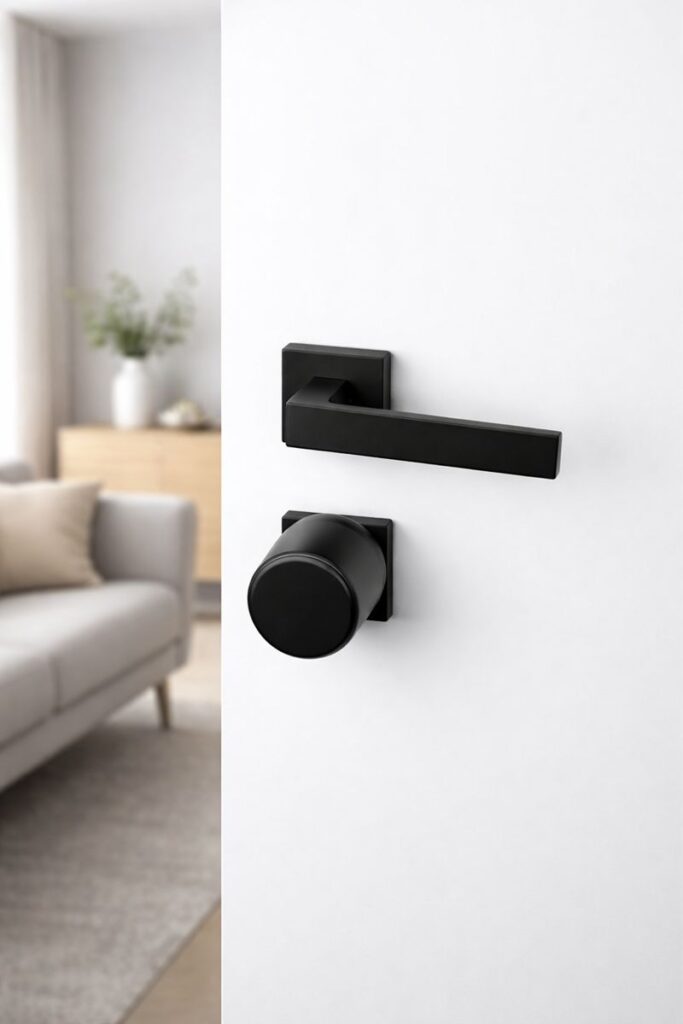
The European market for smart locks is growing exponentially, which explains the increase in interest in solutions such as the Tedee GO 2. However, this growth also brings with it a common concern: installation. Many people fear complexity, compatibility issues, or high installation costs. The Tedee GO 2 breaks through these barriers with a design aimed at simple, standalone installation.
Our goal is to show you how to install the Tedee GO 2 smart lock, often in just 15 minutes, without having to replace your existing cylinder and with the assurance that you can continue using your regular key. This not only saves time and money but also gives you control over your door hardware.
The Crucial Preparation: Compatibility Check & Requirements
Before you begin the installation, a thorough compatibility check is essential. This prevents frustrations later on and ensures smooth assembly. The biggest challenges with smart locks often lie in compatibility and installation complexity. The Tedee GO 2 is designed for broad compatibility with Euro profile cylinders, but there are a few important points to keep in mind.
Is your door ready for Tedee GO 2? The Most Important Questions
The Tedee GO 2 is designed to work with the most common cylinders in Europe: the Euro profile cylinder. But even within this type, there are important considerations.
Cylinder Type: The Emergency and Danger Function
Retaining your physical key use on the outside of the door is a major advantage of the Tedee GO 2. For this, it is crucial that your cylinder lock has a so-called emergency and danger function, also double clutch .
What does this mean? A cylinder with an emergency function allows you to open the door with a key from the outside, even if there's a key (or the Tedee GO 2) in the lock on the inside. Without this function, the key would jam from the outside once the Tedee GO 2 is installed.
How do you check this?Insert a key into your lock from the inside. Then insert another key from the outside and try turning it. If this works, your cylinder has the emergency function. If not, your cylinder is probably not compatible with both the Tedee GO 2 and a physical key.
Many modern security cylinders from renowned brands such as M&C, which are also SKG 3-star certified, feature this function. If your cylinder does not have this function and you wish to continue using your physical key, a cylinder replacement is necessary. MC Cilinder offers a wide range of high-quality, SKG 3-star certified cylinders that are perfectly compatible.
Cylinder Overhang: The Key to a Stable Installation
The correct protrusion of your cylinder on the inside of the door is vital for stable mounting of the Tedee GO 2.
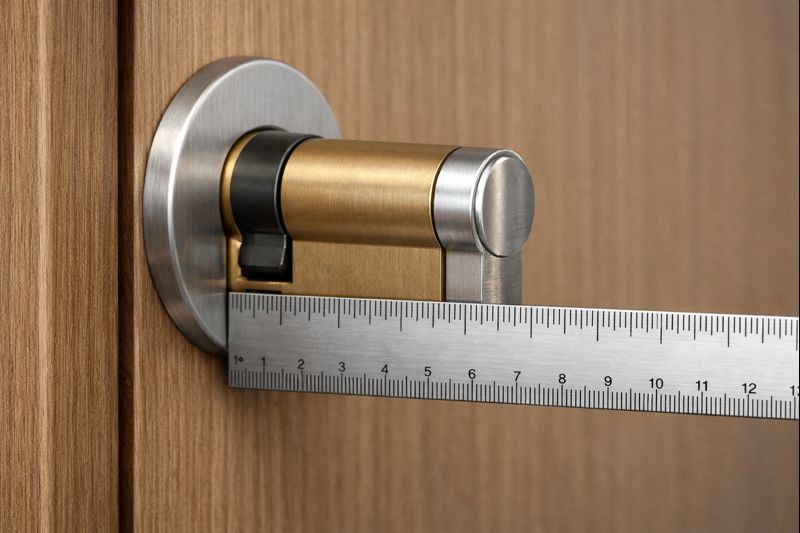
The requirement: Your Euro profile cylinder must have at least 3 millimeters and a maximum of 12 millimeters protrude from the inside of the door hardware.
Why 3mm? This minimal overhang is necessary to securely and stably mount the Tedee GO 2. Without sufficient overhang, the smart lock cannot properly grip the cylinder, which affects its functionality and reliability.
How do you measure this?
- Close the door.
- Place a tape measure or ruler against the inside of the door (or the interior hardware, if it protrudes) and measure the distance to the end of the cylinder.
- Make sure you measure from the fixed part of the door or door hardware, not from the key itself.
What if the protrusion is less than 3mm?This is a common question. Some suppliers mention an 'adhesive adapter' or 'tape adapter' as a solution for cylinders that are flush with the fitting or protrude less than 3mm. However, not all experts recommend this equally strongly. While this adapter can offer a solution in specific situations, a cylinder that protrudes correctly always provides the most robust and secure mounting. If your cylinder does not meet the requirements, consider replacing it with a compatible model.
Door Clearance: Sufficient Clearance
The Tedee GO 2 requires sufficient space on the inside of the door around the cylinder to function. Ensure at least 35mm space around the center of the cylinder to prevent collisions with door handles, rosettes or other fittings.
Door Type & Swing Direction: Exceptions
The Tedee GO 2 is compatible with most inward-opening doors equipped with a Euro profile cylinder. However, there are a few exceptions where the Tedee GO 2 is not suitable:
- Surface-mounted locks: The Tedee GO 2 does not work with surface-mounted locks.
- Multi-point locks operated with the door handle: Locks that you activate by pulling up on the door handle before closing are generally not compatible.
- Outward opening doors: Installation may be unsuitable specifically for plastic or aluminium doors.
Installation Requirements
Starting well prepared saves a lot of time. To install the Tedee GO 2, you'll need the following:
- The Tedee GO 2 (including Allen key): Check that all parts are included in the package.
- 3x CR123A batteries: These are usually included.
- Screwdriver (optional): Only necessary if you need to remove the door hardware to measure or adjust the cylinder.
- Measuring tape or ruler: For the cylinder protrusion.
- Your smartphone: For the Tedee app and connection.
Step-by-Step Installation Guide for the Tedee GO 2
Now that the preparation and compatibility check are complete, we can begin the installation. The process is designed to be as simple as possible and consists of the following clear steps. Many users prefer visual manuals for installing smart devices. We combine textual explanations with suggestions for visual support.
Step 1: Preparing the Cylinder (optional)
The Tedee GO 2 comes with a 'Tedee Bar' and various adapters that ensure compatibility with various Euro profile cylinders.
- Insert key: Insert your physical key fully into the cylinder lock from the inside of the door.
- Tedee Bar: Slide the included Tedee Bar over the head of the key. The Tedee Bar ensures an optimal connection between the key and the Tedee GO 2. Depending on your cylinder and key type, choose the appropriate adapter. For most standard cylinders, the Tedee Bar is sufficient.
- Any adjustments: Sometimes the key head needs to be shortened or a specific adapter used for cylinders with a rotary knob. The Tedee manual provides detailed instructions on this.
Step 2: Installing the Tedee GO 2 Housing
Now that the cylinder is prepared, attach the Tedee GO 2 to the door.
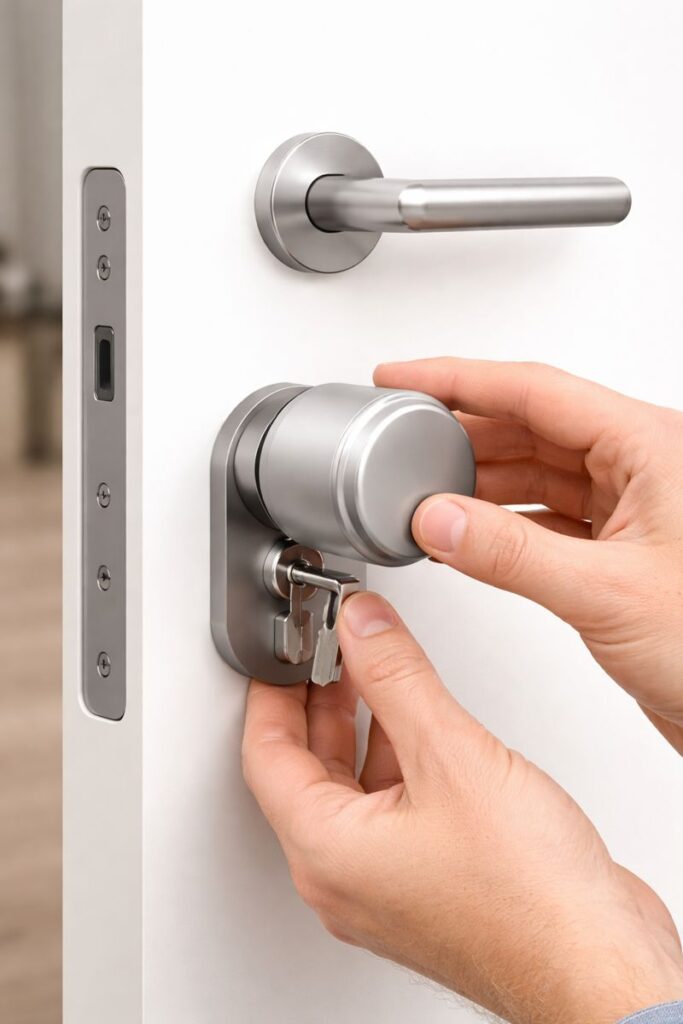
- Placement: Slide the Tedee GO 2 housing over the inserted key and the Tedee Bar. Make sure the lock is firmly and straight against the door or door handle.
- Confirmation: Use the included Allen key to tighten the two adjusting screws on the side of the Tedee GO 2. Hand-tighten them, but don't force them. The goal is for the Tedee GO 2 to sit securely without wobbling.
Step 3: Install Batteries & Initialize
The Tedee GO 2 is battery powered, which further simplifies installation as no wiring is required.
- Battery compartment: Open the battery compartment of the Tedee GO 2.
- Insert batteries: Insert the three CR123A batteries according to the polarity markings inside the compartment.
- Close and start: Close the battery compartment. The Tedee GO 2 will now automatically start and display an LED indicator, indicating that the device is active.
Step 4: Download & Connect the Tedee App
The Tedee app is the control center for your smart lock.
- Download the app: Download the 'Tedee' app via the App Store (iOS) or Google Play Store (Android).
- Create an account: Open the app and follow the instructions to create an account.
- Add device: In the app, select the option to add a new device. Scan the QR code on the Tedee GO 2 (usually on the back, under the battery cover) or in the manual.
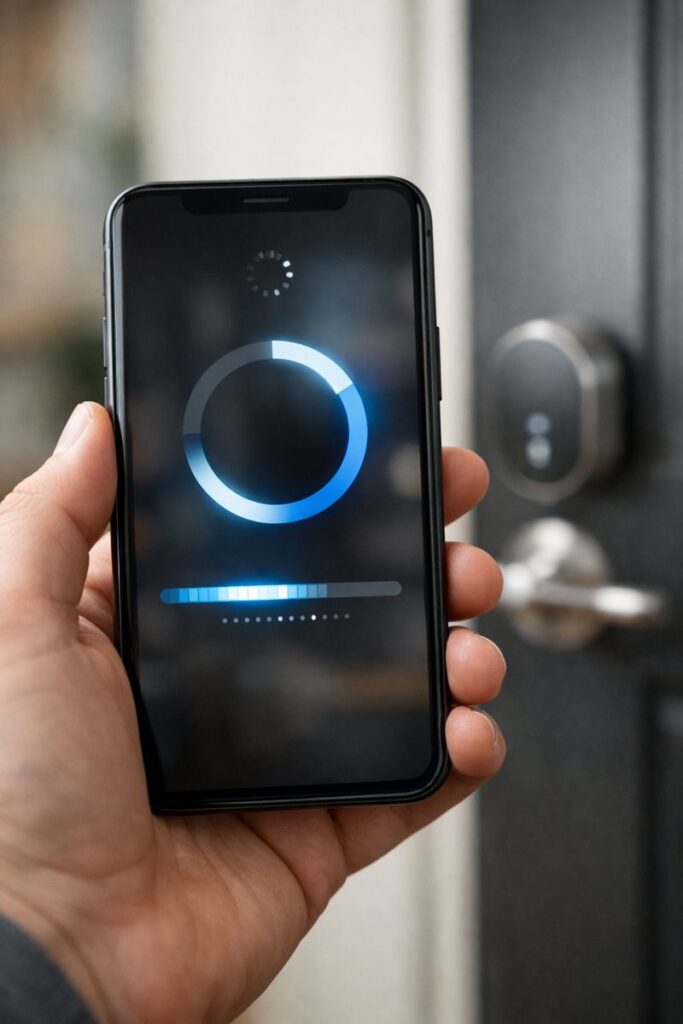
- Bluetooth pairing: The app will connect to your Tedee GO 2 via Bluetooth. Follow the steps in the app to complete the pairing and enter the initialization settings.
Step 5: Calibrating the Lock
This is a crucial step where the Tedee GO 2 learns where the open and closed positions of your lock are.
- Start calibration: Follow the instructions in the Tedee app to start the calibration process. The Tedee GO 2 will now automatically rotate back and forth to determine the full stroke of your cylinder.
- Check: After calibration, check whether the lock opens and closes correctly via the app. If the lock is stiff or doesn't open/close completely, this could indicate a minor adjustment of the Tedee GO 2 on the cylinder, or a cylinder that isn't functioning smoothly enough.
Common Problems & Smart Solutions
Even with the best preparation, questions or minor challenges can arise. Below, we discuss some common problems users encounter and offer practical solutions. Addressing such issues in advance can eliminate a lot of frustration.
“My Tedee GO 2 isn't calibrating correctly.”
- Cause: This could be caused by a lock that is not securely fastened, a cylinder that is too tight, or an incorrect Tedee Bar/adapter.
- Solution: Check that the Tedee GO 2 is securely fastened and doesn't wobble. Ensure the key and Tedee Bar are correctly inserted and that the cylinder turns smoothly by hand. Try the calibration again. If your cylinder is already somewhat stiff, this can also affect the Tedee GO 2. A properly functioning, high-quality cylinder lock is essential.
“The key turns hard / the lock is blocked.”
- Cause: This is often due to the Tedee GO 2 being attached too tightly, or to a cylinder that was already stiff.
- Solution: Loosen the Tedee GO 2's adjusting screws slightly and try again. Make sure the lock is perfectly aligned. If your cylinder is old or not properly lubricated, this could be the cause. Sometimes a little graphite powder (never oil!) can make the cylinder run more smoothly. In severe cases, it could be a sign that the cylinder needs to be replaced. MC Cylinder offers high-quality cylinders that operate smoothly and reliably.
“The cylinder doesn't protrude enough: what now?”
- Cause: This is a common compatibility issue.
- Solution: As discussed in the preparation, a minimum of 3mm of overhang is required. If this isn't the case, you can consider an adhesive adapter (although with the caveats mentioned) or, the most recommended option, replace the cylinder with a model that does overhang correctly. MC Cylinder always recommends choosing the safest and most stable solution, which in this case is often a suitable, secure cylinder.
“My external key no longer works.”
- Cause: Your cylinder does not have an emergency and hazard function (double clutch).
- Solution: Unfortunately, there's no other solution than to replace the cylinder with a model that does have this feature if you want to continue using the physical key outside the door. When purchasing a new cylinder, be sure to look for "emergency and hazard function" or "double clutch" features. Our SKG 3-star cylinders often include this important functionality.
“Batteries drain quickly / connectivity issues.”
- Cause: Heavy use, weak Bluetooth signal, or interference.
- Solution: Smart lock batteries last for several months, depending on usage. If they drain extremely quickly, check if the lock turns smoothly (less resistance means less power consumption). For connectivity issues, adding the Tedee Bridge can help, as it provides a more stable connection and remote control.
Optimize Your Tedee GO 2 Experience
The Tedee GO 2 is an excellent start to your smart home. But its functionality can be further expanded for even more comfort and control.
- Tedee Bridge: For remote access and integration with your smart home ecosystem (such as Google Home or Amazon Alexa), the Tedee Bridge is an essential addition. It connects your Tedee GO 2 to the internet.
- Tedee Keypad: Add a code lock to your door, ideal for guests or as a backup.
- Tedee Door Sensor: Get notifications when your door is open or closed.
The Tedee GO 2 is a powerful step toward a safer and smarter home. Our guide will get you well on your way to integrating this technology yourself.
FAQ Quick Overview
Q: Do I need to replace my cylinder to install the Tedee GO 2?A: Often not, provided that your Euro profile cylinder protrudes at least 3 mm on the inside and, if you want to continue using the physical key, it has an emergency and danger function.
Q: How long does it take to install the Tedee GO 2?A: The actual installation, after the necessary preparation and compatibility check, can be completed in just 15 minutes. The app pairing and calibration will add a few minutes to this.
Q: Is the Tedee GO 2 safe if I install it myself?A: Absolutely. Installation doesn't directly affect the mechanical security of your cylinder. As long as you follow the instructions and ensure proper installation, the existing security of your lock will be maintained. Moreover, Tedee locks are secured with advanced encryption.
Q: What if my cylinder doesn't extend enough?A: You could consider an adhesive adapter (with some nuance), but the most robust solution is to replace the cylinder with a model that has the correct overhang. MC Cylinder is happy to help you find a suitable, safe cylinder.
Q: Can I continue to use my existing keys with the Tedee GO 2?A: Yes, provided your cylinder has an emergency function (double clutch). This allows you to open the door with a physical key, even if the Tedee GO 2 is mounted inside.
The Tedee GO 2 offers the ideal combination of ease of use and advanced technology. By following the steps in this guide, you're guaranteed a successful installation and a worry-free experience with your new smart lock. Ready to make the switch? Visit our Tedee GO 2 product page and discover the possibilities for your home.
Our advice: go for the Tedee PRO
The Tedee GO 2 is a fine entry-level model, but for daily use on a front door — especially with a multi-point lock — we recommend the Tedee PROIt has a more powerful motor, a rechargeable battery, and a durable aluminum housing, and works optimally on an SKG 3* cylinder. Combine it with identical cylinders so that one physical emergency key fits all your doors.
Do you want automatic PIN codes for guests, staff, or tenants — codes that expire automatically? Then connect your Tedee to Sojolock, our software for smart access control and digital locking plan management.